Today I watched an old Ted talk by the creator of Jenga – Leslie Scott.
At 8 minutes 45 seconds in, she states that “Crucially, the wooden blocks are not identical. The game just wouldn’t work if they were. In fact, each of the wooden blocks in a Jenga set is very slightly different to each other block.“
She goes on to say “The fact that the blocks are randomly slightly different means its very unlikely that any Jenga game is the same as any other Jenga game.“
This was interesting because I like randomness and I like geometry – the Venn diagram is clear. And I’ve decided that I want to 3D print my own Jenga blocks.
But if you look on websites like Thingyverse, a free marketplace for 3D models, all of the Jenga block models use the precise dimensions from Jenga’s Wikipedia page (1.5 cm × 2.5 cm × 7.5 cm (0.59 in × 0.98 in × 2.95 in).
While no manufacturing process is exact, home 3D printers (especially resin ones) are in the < 0.05mm territory of accuracy now, and that just isn’t enough variation for Leslie and I. The mission is obvious… to create a Jenga set of 54 very-slightly-random blocks.
Rather than reinvent the wheel, some kind soul on Thingyverse has created a lovely brick with the ‘Jenga’ emboss that I’ll use as a base: https://www.thingiverse.com/thing:2243787
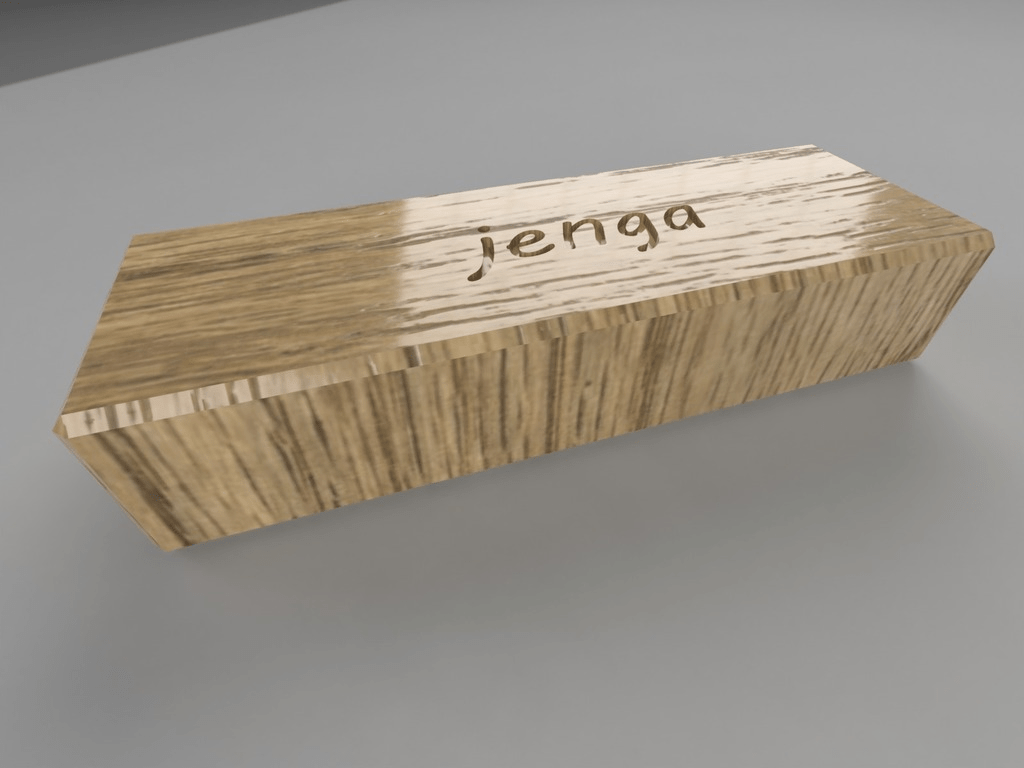
Taking a look at the STL file for this brick, it looks like it’ll need scaling from inches to mm, so lets load it into python, scale it by 25.4, and spit it back out.
Trimesh is a Python library for loading, processing, and visualizing 3D meshes.
import trimesh

# Load the original STL file
input_file = 'pljenga.stl'  # Replace with your file path
output_file = 'pljenga_scaled.stl'  # Scaled output file

# Load the mesh
mesh = trimesh.load(input_file)

# Apply uniform scaling
scaling_factor = 25.4  # Scale from inches to mm
mesh.apply_scale(scaling_factor)

# Calculate dimensions after scaling
x_dim = mesh.bounds[1][0] - mesh.bounds[0][0]
y_dim = mesh.bounds[1][1] - mesh.bounds[0][1]
z_dim = mesh.bounds[1][2] - mesh.bounds[0][2]

# Print scaled dimensions
print(f"Scaled Block Dimensions: X = {x_dim:.3f} mm, Y = {y_dim:.3f} mm, Z = {z_dim:.3f} mm")

# Export the uniformly scaled STL file
mesh.export(output_file)
print(f"Scaled STL file saved as '{output_file}'")
That done, we now need to create the other 53 blocks!
To do this we’ll load the original STL again, and output 53 new meshes with stretched X/Y/Z axes that provides between 0.1 – 0.5mm variance.
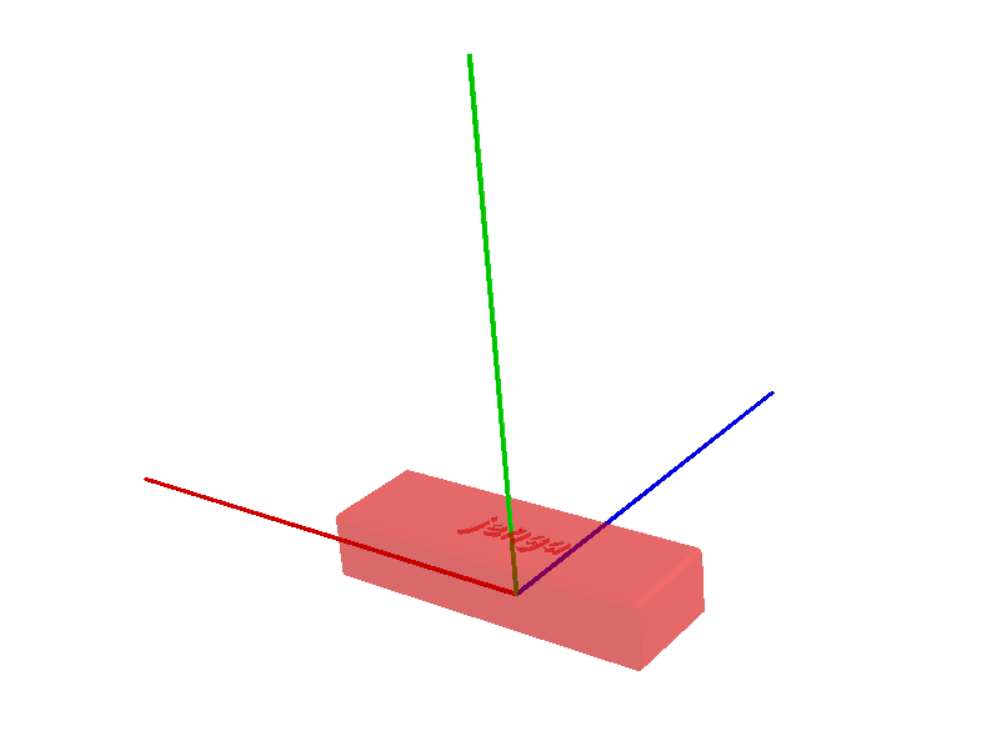
I did contemplate if all axes needed adjusting or just one or two, but decided that each axis definitely affects the ‘pullability‘ of blocks. Take a look at the 3 axes below (X = red, Y = green, Z = blue) and imagine how changes in thickness affect gameplay differently.
Onward we go.
import trimesh
import random
import os

# Load the original (scaled) STL file
input_file = 'pljenga.stl'
output_directory = '.'
os.makedirs(output_directory, exist_ok=True)

# Load the mesh
original_mesh = trimesh.load(input_file)

# Get original dimensions for reference
original_x = original_mesh.bounds[1][0] - original_mesh.bounds[0][0]
original_y = original_mesh.bounds[1][1] - original_mesh.bounds[0][1]
original_z = original_mesh.bounds[1][2] - original_mesh.bounds[0][2]

print(f"Original Block Dimensions (Scaled): X = {original_x:.3f} mm, Y = {original_y:.3f} mm, Z = {original_z:.3f} mm")

# Generate 53 variants with slight X, Y, and Z dimension variations
for i in range(1, 54):
    # Create a copy of the original mesh
    variant_mesh = original_mesh.copy()

    # Generate random variations for X, Y, and Z dimensions (0.1 - 0.5mm)
    x_scale = 1 + random.uniform(0.001, 0.005)  # Slight variation (0.1mm - 0.5mm)
    y_scale = 1 + random.uniform(0.001, 0.005)
    z_scale = 1 + random.uniform(0.001, 0.005)

    # Apply scaling transformations
    scale_matrix = [
        [x_scale, 0, 0, 0],
        [0, y_scale, 0, 0],
        [0, 0, z_scale, 0],
        [0, 0, 0, 1]
    ]
    variant_mesh.apply_transform(scale_matrix)

    # Save the variant
    output_file = os.path.join(output_directory, f'jenga_block_variant_{i:02}.stl')
    variant_mesh.export(output_file)
    print(f'Generated {output_file} with X Scale: {x_scale:.4f}, Y Scale: {y_scale:.4f}, Z Scale: {z_scale:.4f}')

print("53 Jenga block variants successfully generated with corrected scaling (including Z-axis)!")
Now that we have 53 unique blocks plus the original, lets load them all on top of each other to try to spot any problems; I’ll give each mesh its own colour.
import trimesh
import os
import glob
import random

# Load the original mesh
original_mesh = trimesh.load(r'pljenga.stl')

# Unique color for original block
original_mesh.visual.face_colors = [255, 0, 0, 150]  # Semi-transparent red

# Calculate dimensions for the original block
original_x = original_mesh.bounds[1][0] - original_mesh.bounds[0][0]
original_y = original_mesh.bounds[1][1] - original_mesh.bounds[0][1]
original_z = original_mesh.bounds[1][2] - original_mesh.bounds[0][2]

print(f"[Original Block] X = {original_x:.3f} mm, Y = {original_y:.3f} mm, Z = {original_z:.3f} mm")

# Initialize the scene
scene = trimesh.Scene()
scene.add_geometry(original_mesh)

# Path to variants
variant_files = sorted(glob.glob('jenga_block_variant_*.stl'))

# Color palette generator
def random_color():
    return [random.randint(0, 255), random.randint(0, 255), random.randint(0, 255), 150]

# Add all variants to the scene
for i, variant_file in enumerate(variant_files, start=1):
    variant_mesh = trimesh.load(variant_file)

    # Assign a unique random color
    variant_mesh.visual.face_colors = random_color()

    # Calculate dimensions for the variant block
    variant_x = variant_mesh.bounds[1][0] - variant_mesh.bounds[0][0]
    variant_y = variant_mesh.bounds[1][1] - variant_mesh.bounds[0][1]
    variant_z = variant_mesh.bounds[1][2] - variant_mesh.bounds[0][2]

    # Print dimensions to the console
    print(f"[Variant {i:02}] X = {variant_x:.3f} mm, Y = {variant_y:.3f} mm, Z = {variant_z:.3f} mm")

    # Add variant to the scene without any translation (perfect overlap)
    scene.add_geometry(variant_mesh)

# Print summary
print(f"Loaded {len(variant_files)} variant blocks + 1 original block into the scene.")

# Show the scene
scene.show()
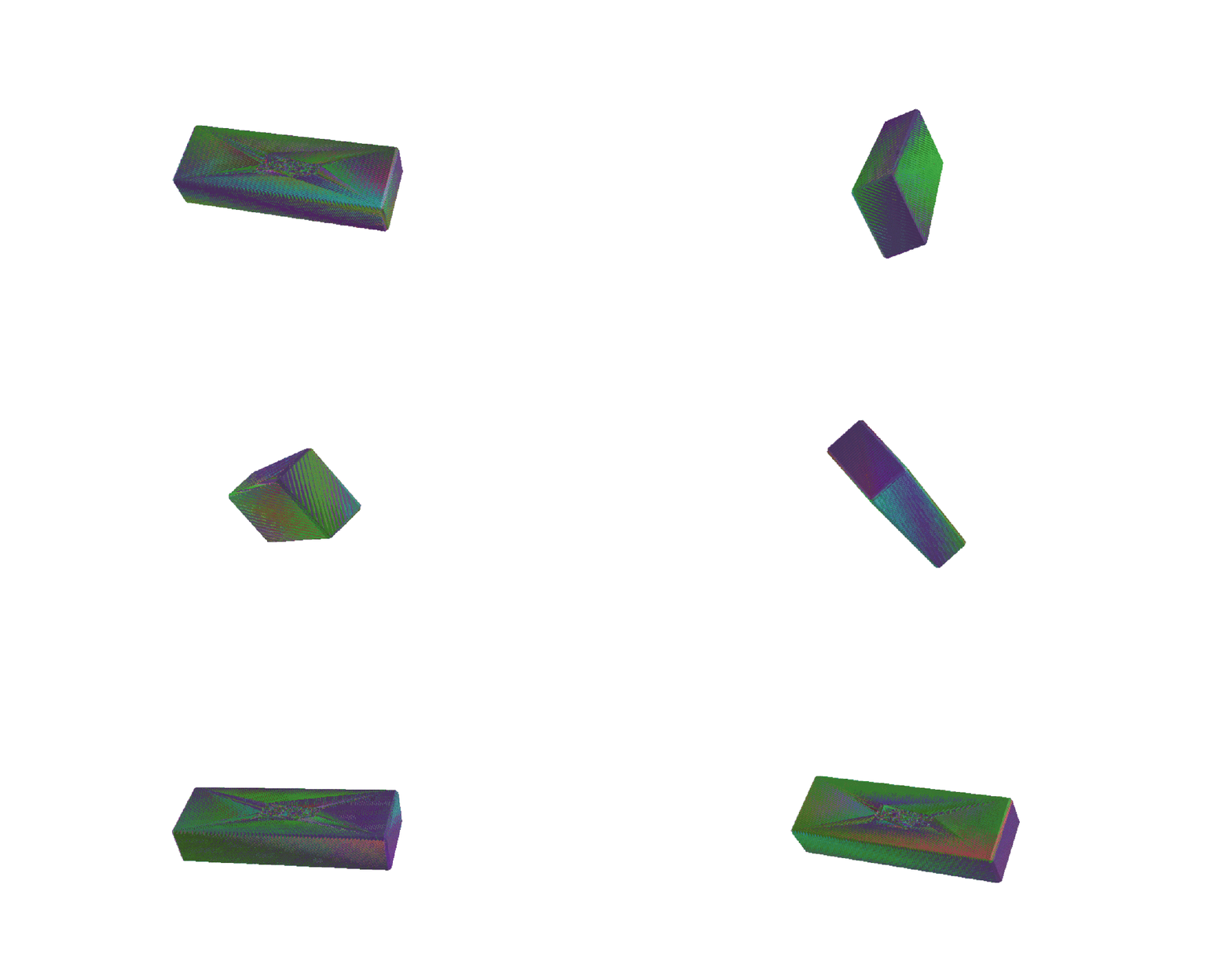
Zoomed out, Trimesh’s viewer is struggling to decide which block’s faces to render, which is expected given the variances are so small. It’s quite a satisfying visualisation, if not technically inaccurate (we should only really see the colours of the largest block in each dimension).
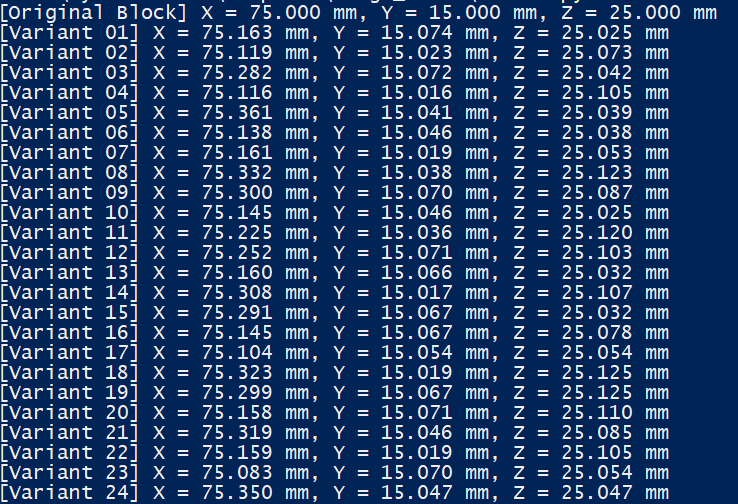
But, as we see in the console logs, the X, Y, and Z dimensions are definitely looking unique, and these models are ready for a printer!
It was amusing to consider this ‘problem’ for an afternoon. A basic table saw would excel at making Jenga blocks through its natural imprecision, yet hyper-precise machines must carefully calculate imperfection. I can’t be sure if Leslie’s Jenga empire was built on super-accurate wood cutting tools or pretty basic ones – but I have my suspicions.
Anyway, if you decide to make your own perfectly imperfect Jenga blocks you might:
- Use the files in the download below
- Use the code above to generate your own perfectly imperfect (and unique) set
- Or just use a table saw.
-Hiburn8
 hiburn8 📈🔥🎱
Leave a comment